

Allow departures outside of scheduled times
Whether it's a late arrival on a Sunday morning or a pickup at another location, delivery no longer depends on an agent being present.
With Fleetee Keyless
Your customers pick up and return their vehicles on their own, using their phones. Fewer appointments for your staff, more flexibility for your renters.
KeyRent, the app for your tenants
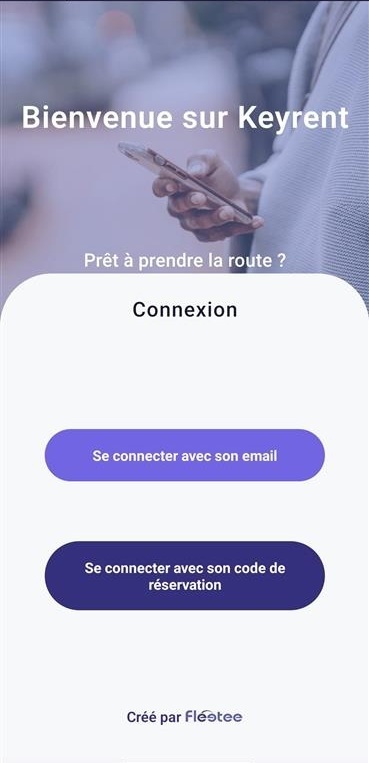
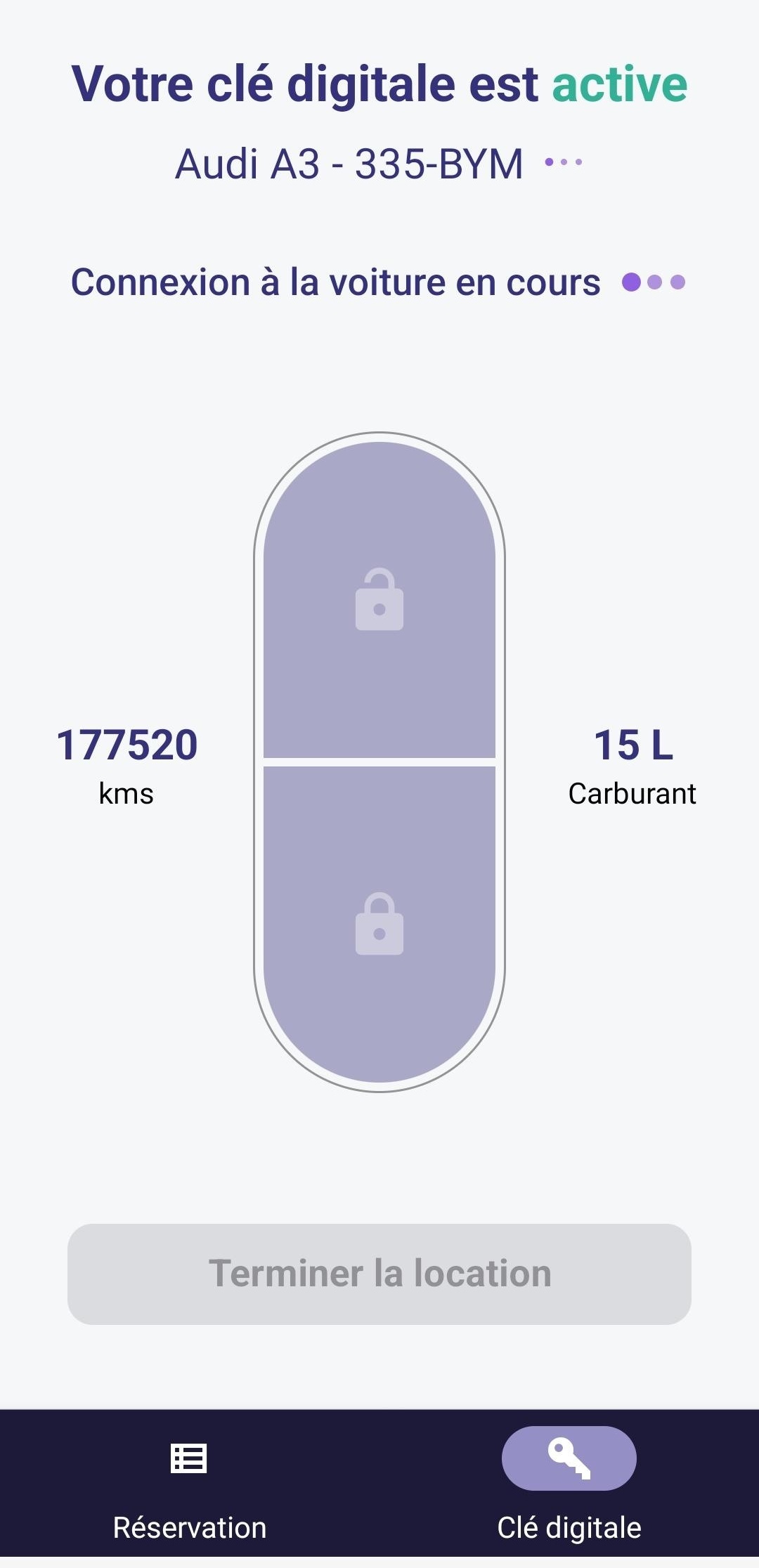
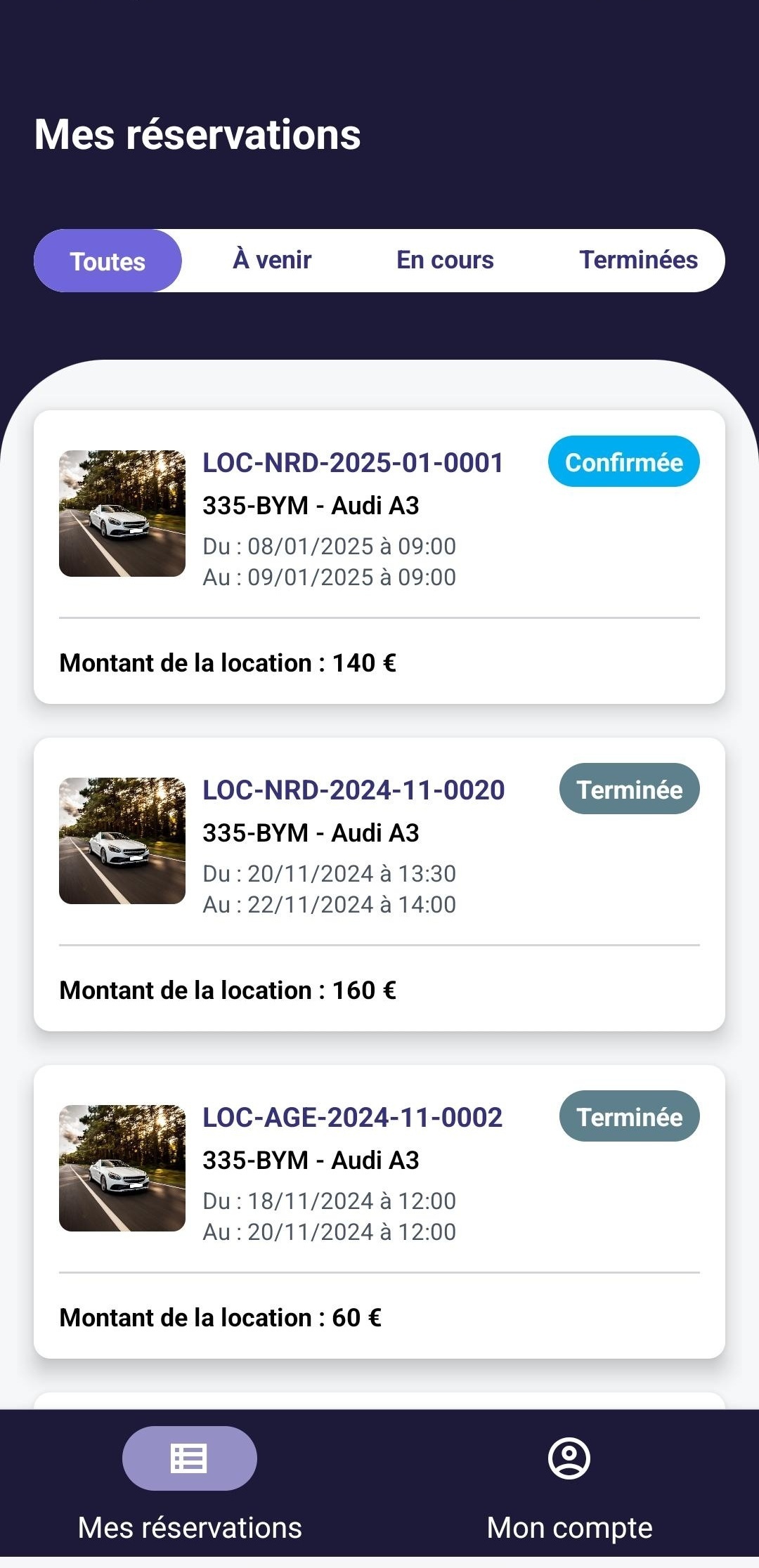
Fleetee Keyless is a self-service vehicle rental solution for professional rental companies. A device installed in compatible vehicles and the KeyRent app allow renters to pick up and return their vehicles on their own. The solution works with Fleetee Manager and Fleetee Check.
Whether it's a late arrival on a Sunday morning or a pickup at another location, delivery no longer depends on an agent being present.
The customer accesses the vehicle through KeyRent. Your teams can use the time saved to prepare the fleet and track rentals.
Access is subject to a license and a security deposit. You must prepare the vehicle before departure and check its condition upon return.
From the moment they first move in until they move out, KeyRent is your tenant’s go-to resource. They can view their rental listing, complete their move-in and move-out inspections, and use their digital key.
KeyRent is available to your tenants on iPhone and Android.


Your customers can pick up the vehicle without scheduling a key drop-off appointment.
Learn about this feature →Departures and returns are possible outside of counter hours.
Learn about this feature →You verify the permit and prepare the vehicle. Access is also contingent on the security deposit.
Learn about this feature →The reservation is created on your website or saved in Fleetee. Payment and confirmation follow your usual process.
He receives the online registration instructions, submits the requested information, and registers his security deposit. You validate his license.
In Fleetee Check, you enter the vehicle's condition, mileage, and fuel level. The physical keys are placed in the glove compartment.
Using KeyRent, the renter locates the rental vehicle, completes the pre-rental inspection, and gains access to the vehicle once the access requirements are met.
He goes to the agreed-upon location, completes the checkout inspection, returns the keys, and locks the door using the app.
From Fleetee Check, you can verify the return, report any discrepancies, and close out the rental.
Their reservation, the vehicle, the pre- and post-rental inspections, and the digital key: customers can track their entire experience in the app.
You prepare for departure in Check and approve the file in Manager. Upon return, you inspect the vehicle and close the rental.
Until the customer's license is validated, the digital key remains locked.
Without a registered security deposit, the customer cannot access the vehicle.
Please specify the pickup location, parking spot, and instructions for returning the keys.
Fleetee Keyless is available for eligible cars and utility vehicles. The assessment is based on your actual vehicles: their make, model, year, and trim level allow us to verify compatibility.
The answer is subject to verification by the technician during installation. We do not publish a fixed list of models: eligibility may change. You may therefore check with us again regarding a model that was previously ineligible.
A device is installed in each equipped vehicle. Fleetee remains your point of contact for the assessment, quote, and support. The service is available in mainland France and Réunion; other territories are evaluated on a case-by-case basis.
One account subscription, regardless of the number of vehicles equipped.
Or €24 (excluding tax) per month. For 50 or more vehicles: €239 (excluding tax) per year per vehicle.
A one-time fee for the unit and its installation.
Billing begins once the vehicles have been equipped and the subscription has been activated. Your quote specifies the vehicles covered and the terms of your offer.
Please provide the make, model, year, and—if known—the trim level of the vehicles to be equipped.
We assess the options for your vehicles before providing any estimate. The assessment is free.
You will receive details about the subscription, equipment, setup, and commitment.
Our partner provides service by appointment. Please have the available vehicles and their registration certificates ready.
Once the equipment is installed and your subscription is activated, you can find the information in Fleetee.
Keyless is powered by Fleetee Manager and Fleetee Check. We’ll work with you to determine which modules you need and how they fit into your subscription.
Yes. The phone grants access to the vehicle; the physical keys are left in the glove compartment to start the engine. You’re canceling the pickup appointment, not the vehicle preparation.
The KeyRent process requires an internet connection, particularly for the pre-rental inspection and vehicle access. Choose covered parking spots and provide your customers with specific instructions.
You have been notified and can contact the customer to arrange for the return to the correct location. Read the procedure in the Help Center.
Yes. Vehicles equipped with this feature can be used alongside those that you continue to drop off at the counter.
Connect is designed for vehicle tracking. Keyless also allows customers to pick up and return vehicles on their own. Learn more about Fleetee Connect.
You are familiar with how the offer works and its terms. Let us know which vehicles you’d like to equip: we’ll review their eligibility before providing you with a quote.
Free estimate · Equipment and installation by appointment · 24-month commitment
View pricing and requirements

Less administrative work.
More time for your rentals.