
Find a Vehicle
Check its available location in Fleetee to arrange a return, understand the reason for a delay, or organize your operations.
Fleetee Connect
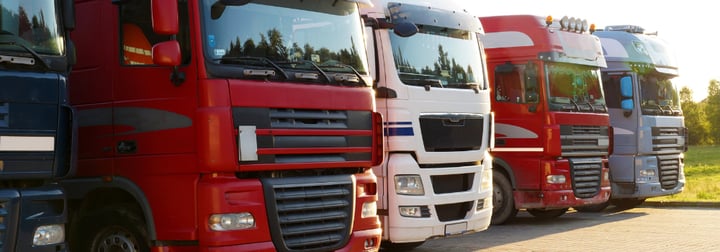
Cars, utility vehicles, or heavy-duty trucks: Keep track of your rental vehicles, even when you're far from your branch. View their location, mileage, and fuel levels in Fleetee Manager.
Equipment and installation required · Fleetee Manager required · 24-month commitment

Fleetee Connect is a fleet tracking solution for professional rental companies that rent out cars, utility vehicles, and heavy-duty trucks. A device installed on eligible vehicles transmits the available data to Fleetee Manager: location, mileage, and fuel level.
Check its available location in Fleetee to arrange a return, understand the reason for a delay, or organize your operations.
Keep track of the vehicle's usage during the rental period and compare the readings to the planned flat rate.
Review the fuel data that has been uploaded and prepare your inspections. The available information is specified in the fleet analysis.

Check the availability of your vehicles in Manager.
Compare the vehicle's odometer reading to the rental package.
Prepare for the return with the level raised by the eligible models.
A device installed in the vehicle sends the available data to Fleetee Manager. You can view this data on the asset's details page and on the current rental, along with the date and time of the last synchronization.
Your teams can find tracking information next to the vehicle and rental data.
The mileage and fuel on hand serve as benchmarks for reviewing discrepancies upon return.
If the synchronization is old, the displayed data is old as well. This indicator prevents you from mistaking a past position for a current one.
During the rental period, review the available data to track your vehicles’ usage and prepare for your interactions with customers. Connect supports a variety of fleets and uses, depending on the eligible vehicles.
View the location and available readings for equipped vehicles to prepare for returns and your interactions with customers.
Track the available kilometers and compare them to the planned allowance, even when vehicles are spread across multiple locations.
For example, for trucks rented for several months, keep track of the data reported without waiting for them to return to the depot.
Passenger cars, utility vehicles, heavy-duty trucks, and trailers may be eligible, subject to certain criteria. The study specifies both the vehicles that can be equipped and the data available for each.
Eligibility is confirmed subject to verification by a technician during installation. We assess your equipment before providing any quote.
A device and installation by appointment are required. This service is powered by Fleetee Manager and is available in metropolitan France and Réunion. For other regions, please contact us for a consultation.
The device requires a network connection to transmit data. When a vehicle remains in an area without coverage, the displayed information is not updated during that time.
The list of eligible models is subject to change. A vehicle that is not eligible today may become eligible in the future: please feel free to check with us again.
The features vary from one device to another. Some devices offer more than just tracking location, mileage, and fuel consumption.
Please specify the features you are looking for in your compatibility request so that we can identify the equipment best suited for your vehicles.
One account subscription, regardless of the number of vehicles equipped.
Or €12 (excluding tax) per month. For 50 or more vehicles: €108 (excluding tax) per year per vehicle.
A one-time fee for the unit and its installation.
Billing begins once the vehicles have been equipped and the subscription has been activated. Your quote specifies the vehicles covered and the terms of your offer.
Please provide the make, model, year, and—if known—the trim level of the vehicles to be equipped.
We assess the options for your vehicles before providing any estimate. The assessment is free.
You will receive details about the subscription, equipment, setup, and commitment.
Our partner provides service by appointment. Please have the available vehicles and their registration certificates ready.
Once the equipment is installed and your subscription is activated, you can find the information in Fleetee.
Yes, some units offer additional features, such as remote immobilization. Their availability depends on the unit installed and the vehicle. The features and terms of use are confirmed during the compatibility assessment.
No. Mileage and fuel consumption depend on the model. The study tells you what will be available for each vehicle.
In Fleetee Manager, on the vehicle's details page and on its current rental. The date of the last synchronization is displayed along with the data.
Check the synchronization date and network coverage at the vehicle's location. If data is still missing in an area with coverage, contact Fleetee.
Yes. You can start with part of the fleet and continue operating the other vehicles as usual.
The reports help you compare the outbound and return trips. You check the difference and process the billing in Fleetee according to the rental terms.
To set up self-service check-in and check-out with access via phone, see Fleetee Keyless →. Please check with us regarding equipment selection before installation.
A GPS tracker for cars is an excellent tool for expanding your target audience, digitizing the customer experience, and boosting your business.
Discover the 6 best reasons to use Fleetee as your heavy-duty truck fleet management software! Finally, optimize your trucking business.
Please list the vehicles you would like to equip. We will review their eligibility and the available data before providing you with a quote.
Free consultation · Equipment and installation by appointment · 24-month commitment
View pricing and requirements →

Less administrative work.
More time for your rentals.