
Sign Up for a Plan
Compare the actual mileage with the mileage specified in the contract, based on the rental period and terms.
With Fleetee Connect
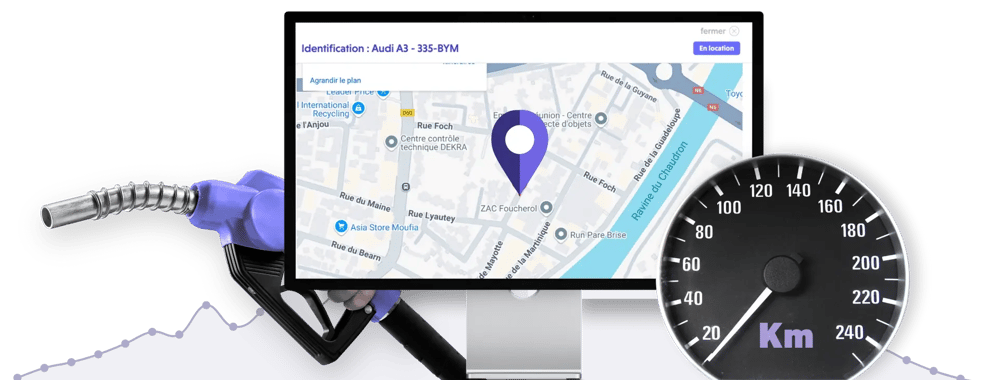
Track the available mileage for equipped vehicles during the rental period and upon return. View this report in Fleetee Manager to review usage and any deviations from the planned mileage allowance.
Equipment and installation required · Fleetee Manager required · 24-month commitment

When the model allows it, the unit updates the vehicle's mileage. This information appears in Fleetee Manager, on the asset's details page, and on its current lease.
It allows you to track the vehicle without having to wait for a report from the customer. You can check the available mileage during a long-term rental or prepare for the return inspection.
Compare the actual mileage with the mileage specified in the contract, based on the rental period and terms.
A vehicle that has been rented for several months can be tracked without having to wait for it to be returned to the agency to check its available mileage.
Review the log and compare it to the initial conditions to determine the distance traveled.
The online statement helps you compare rates. You should then check your plan details, any changes to the lease, and the included mileage before addressing any overage charges.
You handle billing for the difference through Fleetee. You retain control over tracking and billing for the additional kilometers.
Example: For a 1,000-km package, a trip of 1,180 km results in an overage of 180 km, after which the terms of the contract are applied.
Check the time of the last synchronization before using the reading. If the vehicle has no network connection, the number displayed may reflect a previous status.
If the mileage isn't updating, check the vehicle information before generating your report. If you're expecting an update for an eligible vehicle and it's not showing up in a covered area, contact Fleetee.
Submit your fleet for an assessment. We verify eligibility and available data before recommending the equipment. Connect is powered by Fleetee Manager and requires installation of the device.
View Connect rates and terms · Track location · Track fuel usage
No. This information depends on the model and must be verified during the assessment of your fleet.
The report helps with verification. You verify the rental terms and then re-bill the difference through Fleetee.
Whether it’s a passenger car, a utility vehicle, or a heavy-duty truck, compare the recorded mileage to the mileage allowance specified in the contract. For long-term leases—such as those for trucks—these readings help you prepare for a discussion with your customer before the vehicle is returned, based on the data available for the specific model.
A GPS tracker for cars is an excellent tool for expanding your target audience, digitizing the customer experience, and boosting your business.
Fleet management, user safety, protection against theft or accidents—here are 5 benefits of a connected car device.
Please list the vehicles you would like to equip. We will review their eligibility and the available data before providing you with a quote.
Free consultation · Equipment and installation by appointment · 24-month commitment
View pricing and requirements

Less administrative work.
More time for your rentals.