

Reservations and Rentals
View current rentals, reservations, and how they change over the selected time period.
Track your rental agency’s performance with Fleetee Manager’s dashboards. Consolidate your metrics, select your time periods, and compare your results without having to start from a blank spreadsheet.
14-day free trial, no credit card required. See pricing →.

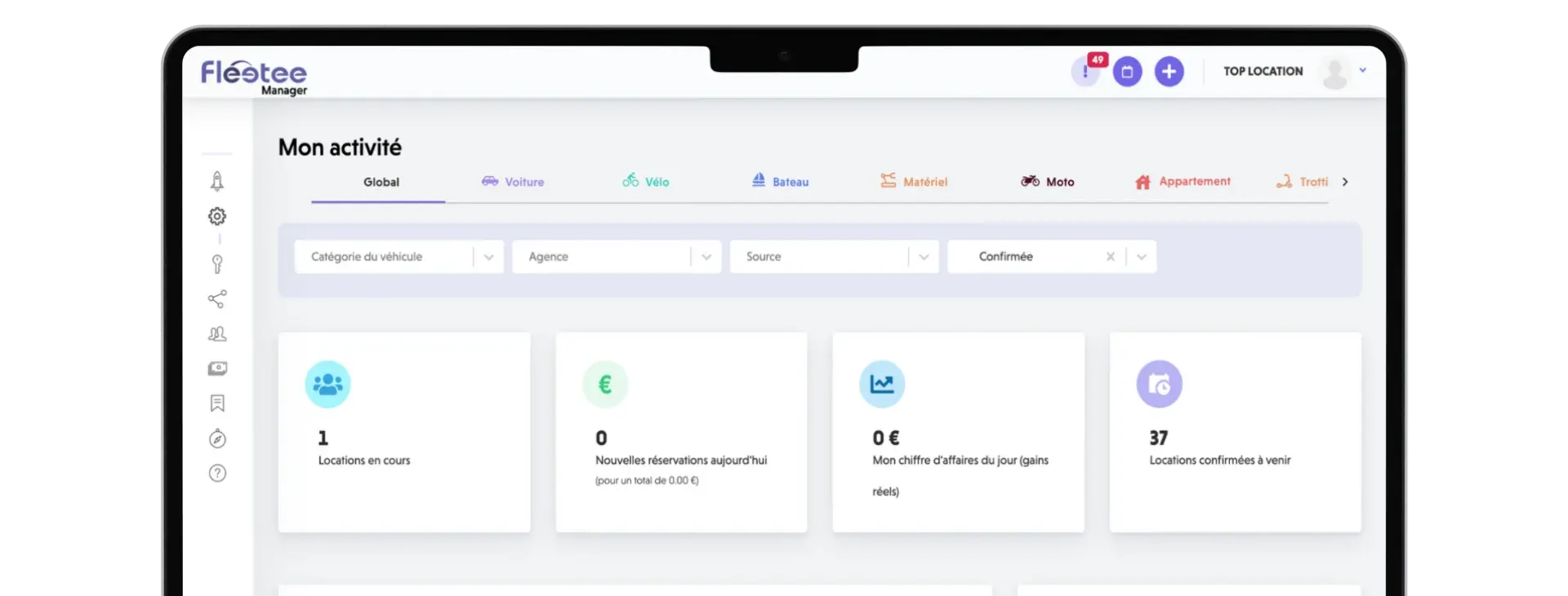
Find the metrics that help you plan your day and track the progress of your business.
View current rentals, reservations, and how they change over the selected time period.
Analyze your business by time period or category, and identify the data that's useful for your sales tracking.
Track the park's usage, the average daily rate, and the average rental duration.
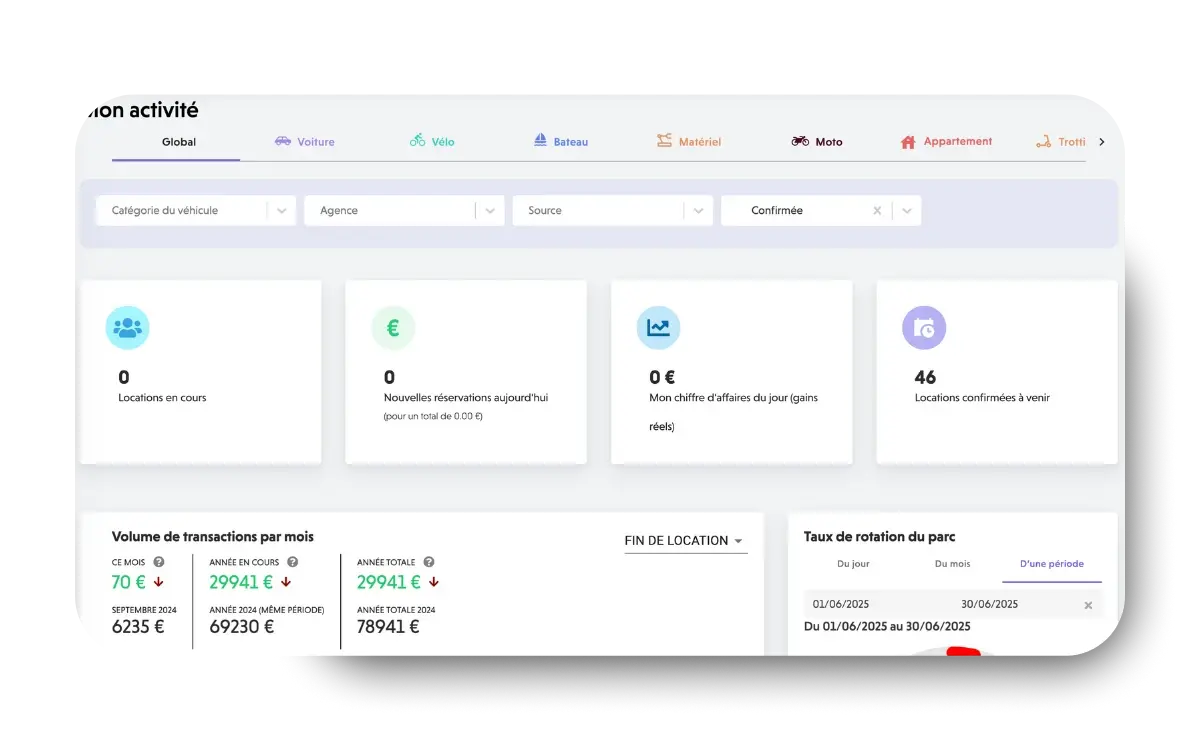
Start with the pre-saved table or create multiple dashboards. For each widget, select the relevant data, metric, dates, and statuses.
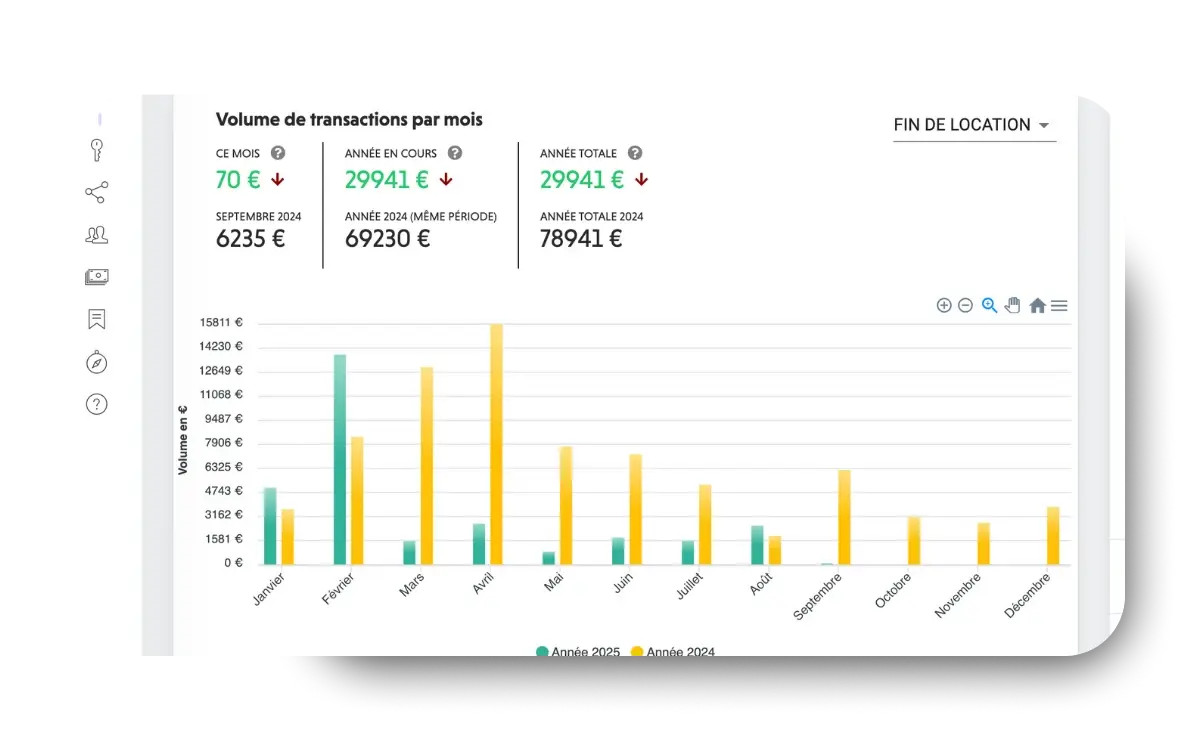
Track changes in revenue and reservations. Time periods and segments help you compare like-for-like data before making a decision.
Create a report template, select the fields, and add the necessary filters. You can then generate your reports using this template.
Rentals, properties, clients, or service calls: choose the data you need to track your business.
Prepare export files for journal entries, invoices, payments, or cash journal entries as needed.
Analyze your rentals, service calls, claims, or invoices and payments using the report templates.
Yes. Widgets let you select the data, metrics, dates, statuses, and appearance. You can customize the dashboard to display the information that's relevant to your business.
Yes. You can create multiple dashboards to organize your metrics according to your needs—for example, to separate different activity tracking categories.
First, create a report template, select the fields and filters, and then generate a report using that template. Fleetee offers operational and accounting reports, among others.
No. The dashboard is used to analyze metrics; the rental schedule → is used to manage reservations, assignments, and unavailability on a day-to-day basis.
Move from analysis to organizing rentals.
View the schedule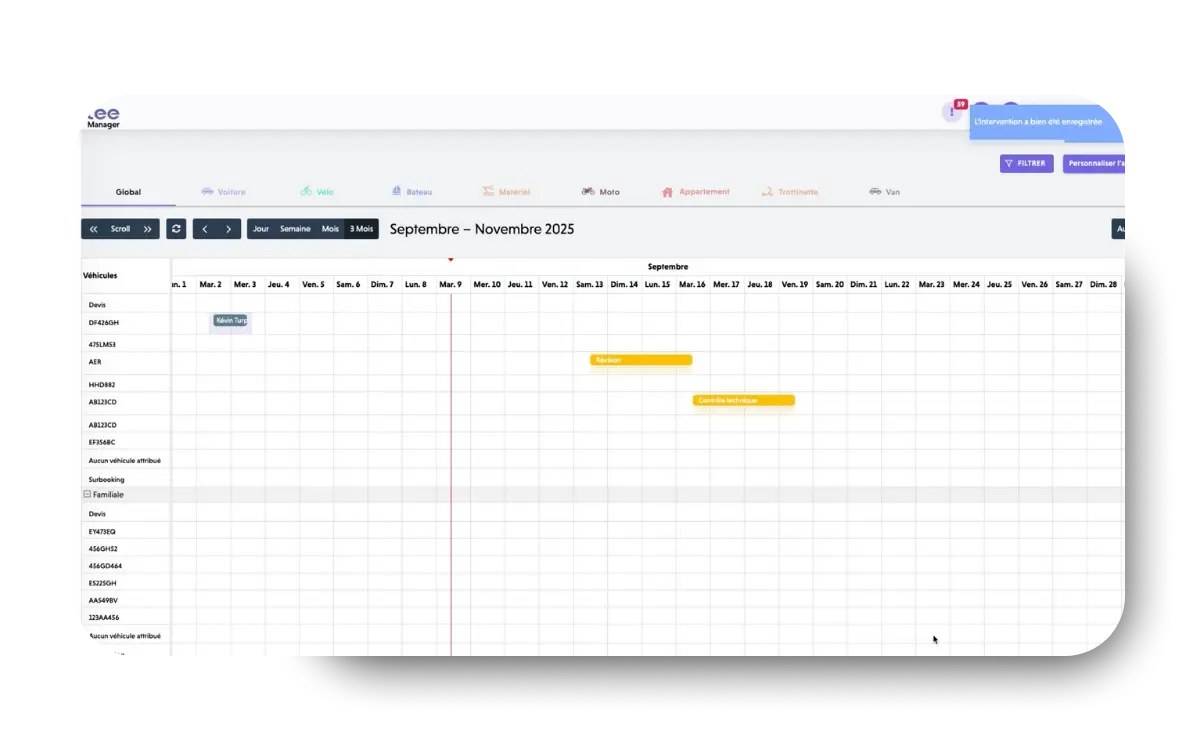
Align fleet monitoring with maintenance operations.
Learn about maintenance tracking
Here's a key metric for the car rental industry: the turnover rate. Do you know what it's used for? How do you calculate it? Find the answers here:

What is the TCO (Total Cost of Ownership) of a vehicle fleet? How is it calculated? We'll tell you everything you need to know about this metric.
Discover Manager with your own vehicles, your own customers, and your own way of working.
14-day free trial, no credit card required. See pricing →.

Less administrative work.
More time for your rentals.