
Planning for a Future Rental
Check the available fuel level before preparing the vehicle for its next trip.
With Fleetee Connect
View the fuel levels reported by eligible vehicles in Fleetee Manager. Prepare for return inspections and review any discrepancies with the rental terms.
Equipment and installation required · Fleetee Manager required · 24-month commitment
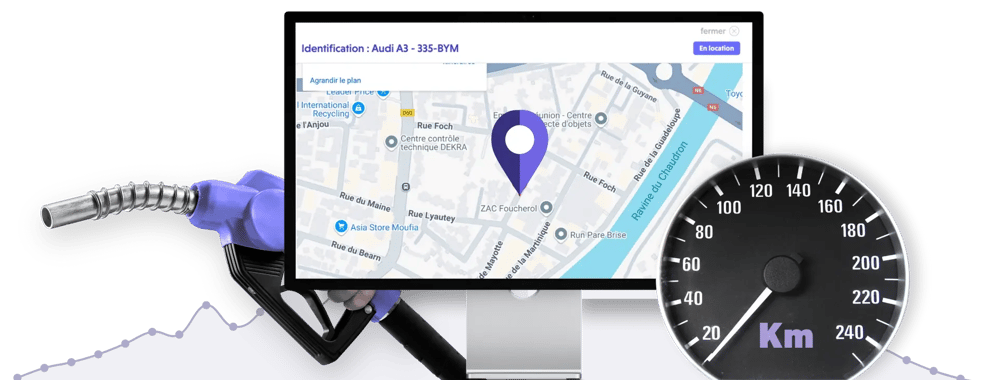
When this data is available for the equipped model, the unit transmits the fuel level to Fleetee Manager. You can view it on the vehicle's details page and on its current rental.
This visibility helps you plan operations: Does a vehicle need to be inspected before its next trip? Should you investigate a discrepancy from the initial level? The report provides a point of comparison without having to wait for a verbal estimate from the customer.
Check the available fuel level before preparing the vehicle for its next trip.
Compare the levels and conditions specified in the contract to identify any differences.
Base your decision on the available information, its date, and the rental terms rather than on a mere impression.
The displayed rate does not replace a review of the rental details. Check the check-in and check-out dates, how recent the information is, the terms of the contract, and any applicable fees.
If a difference needs to be billed, you can process it in Fleetee. The statement helps you prepare the invoice; verifying and processing the difference is your responsibility.
Example: If the contract stipulates that the level must be restored to its original level and the reading shows a lower level, verify the difference and then apply the rental terms.
The unit requires a network connection to transmit data. A vehicle in an underground parking garage may display outdated information. The date and time of the last synchronization let you know what conditions the displayed level corresponds to.
If the expected data is still missing even though the vehicle is in a covered area, contact Fleetee. A lack of data does not mean that the tank is empty.
The assessment determines which vehicles can be equipped and which ones consume fuel. You will then receive a quote for the equipment, its installation, and the subscription. Connect requires Fleetee Manager.
View Connect rates and terms · Learn about geolocation · Learn about mileage tracking
No. The study specifies the information available for each model before the quote is issued.
Check the last sync. Without a network connection, the data displayed may be out of date.
It helps compare and explain a discrepancy. It does not replace the need to verify the situation and the terms of the contract.
A GPS tracker for cars is an excellent tool for expanding your target audience, digitizing the customer experience, and boosting your business.
Fleet management, user safety, protection against theft or accidents—here are 5 benefits of a connected car device.
Please list the vehicles you would like to equip. We will review their eligibility and the available data before providing you with a quote.
Free consultation · Equipment and installation by appointment · 24-month commitment
View pricing and requirements

Less administrative work.
More time for your rentals.