

Fleetee Check

Get your vehicles ready.
Keep track of them at your fingertips.

Items to prepare, tasks to complete, and service procedures—all within the same application. Your team can view their priorities and each vehicle’s records directly in the field.

A feature of the Fleetee Check app · Fleetee account required

Read the guide
Schedule a demo

The day begins with the priorities

Make a list of what needs to be ready.
Before the next departure.

Fleetee Check brings together your outbound shipments, returns, items to prepare, and occupied items on the "Today" screen. Items that are overdue or require action are displayed first.

  • Overview of the morning, afternoon, and evening workloads
  • Access the schedule to view shifts
  • Items to Prepare, as Shown in Today's Tasks

Your team can switch from the daily view to the specific property to view relevant information.
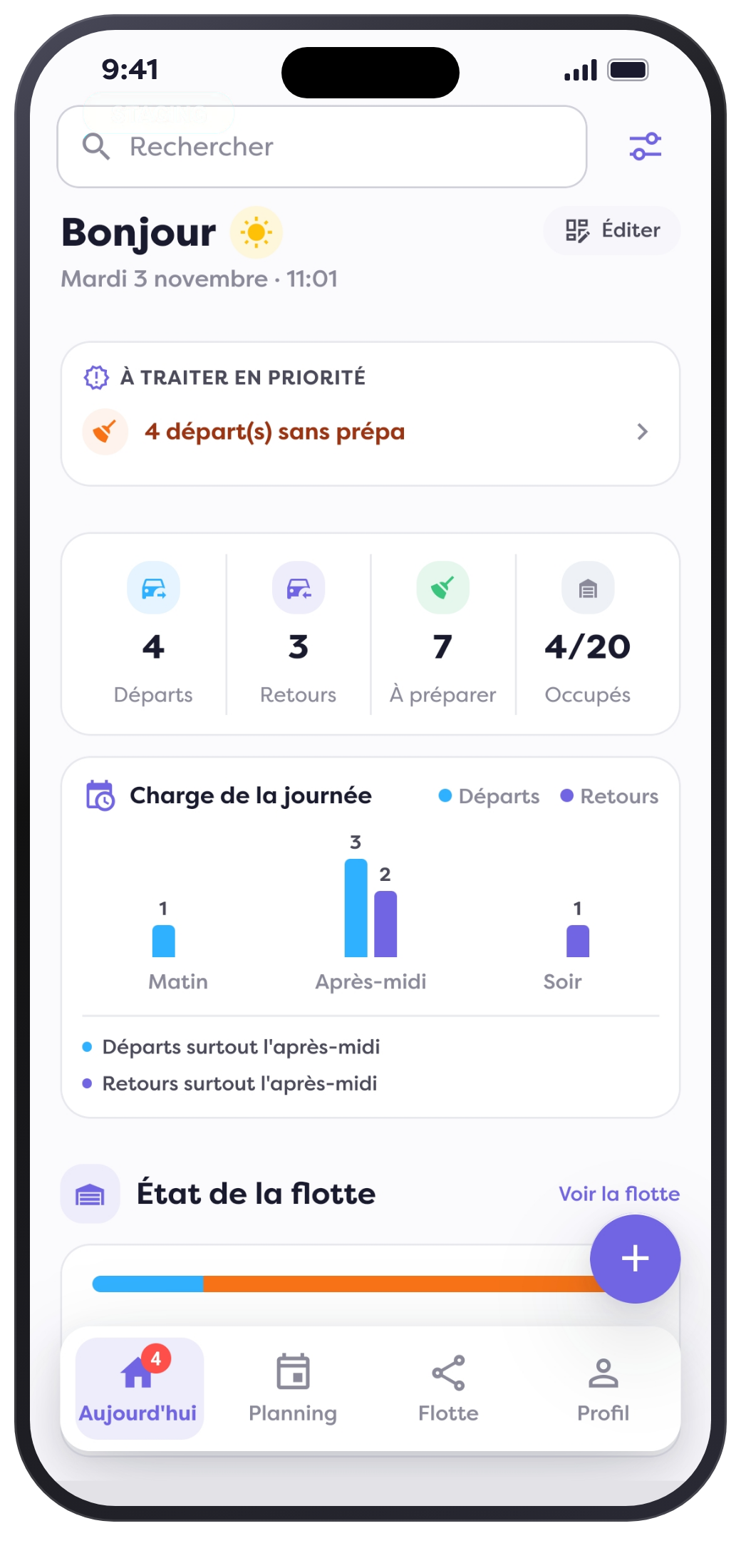
"Today" screen showing priorities and items to prepare

Prepare Before Handing Over the Keys

Enter the
checks before the customer arrives.

The Fleetee Check process also guides you through the preparation and inspection steps. Record relevant vehicle information: mileage, fuel level, cleanliness, and custom details.

Your agency selects the areas to inspect and the angles to photograph. The team then follows the route you have set up for your properties.

  • Inspections tailored to the types of properties in your portfolio
  • Photos and observations from the training run
  • Property information available before departure
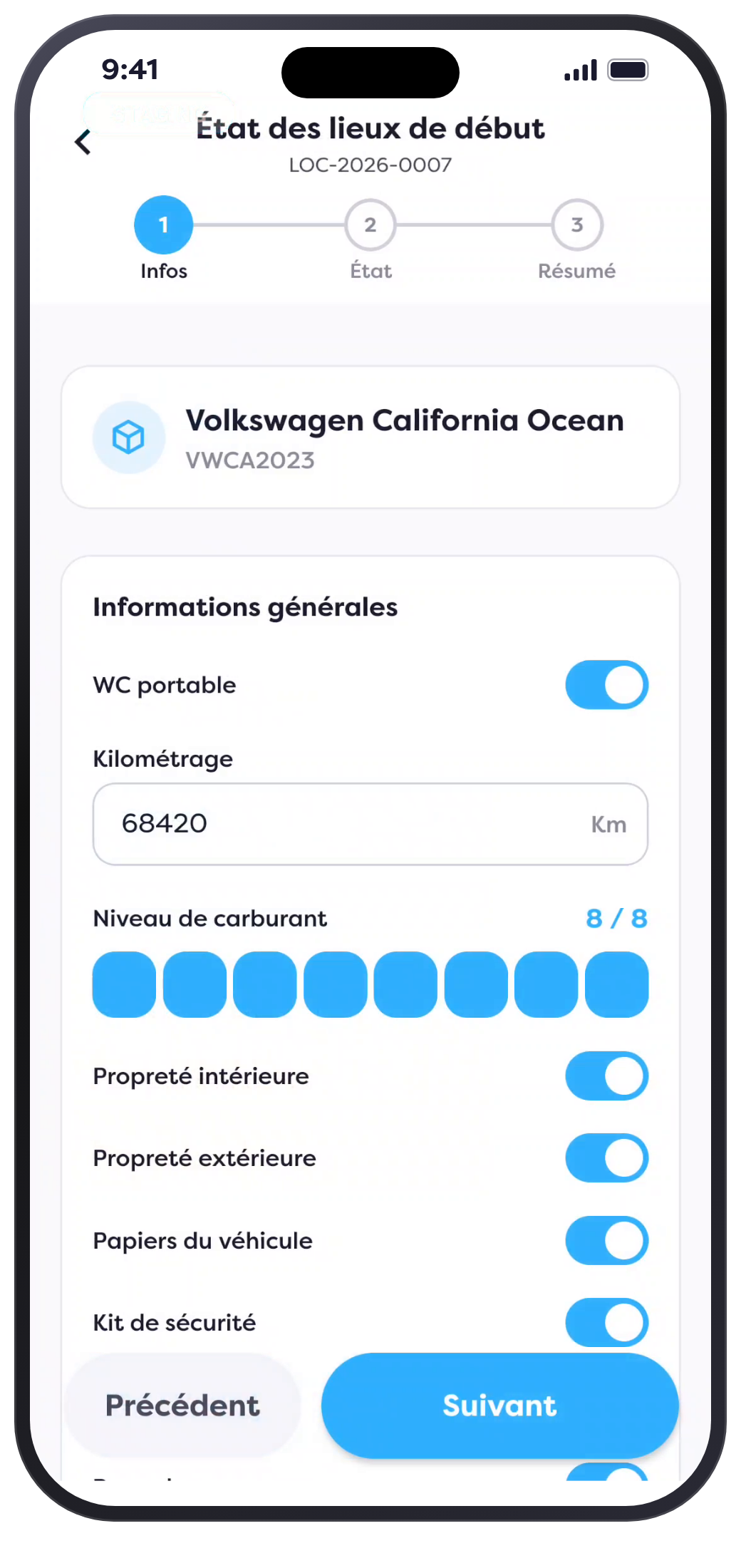
Learn about custom controls ↗
Information and Custom Properties for the Fleetee Check Route

From the Issue at Hand to Action

Reports and interventions.
In the property file.

At the top of the form, you'll find the items that require your attention: reports, service calls, and technical inspections. You can create a service call or a report from within the app.

  • View property details on-site
  • Change their status from their profile
  • Find information on leases, move-in inspections, maintenance requests, and documents
  • View the availability calendar and the history of changes

Vehicle preparation, monitoring, and service calls are all tracked in the same file.
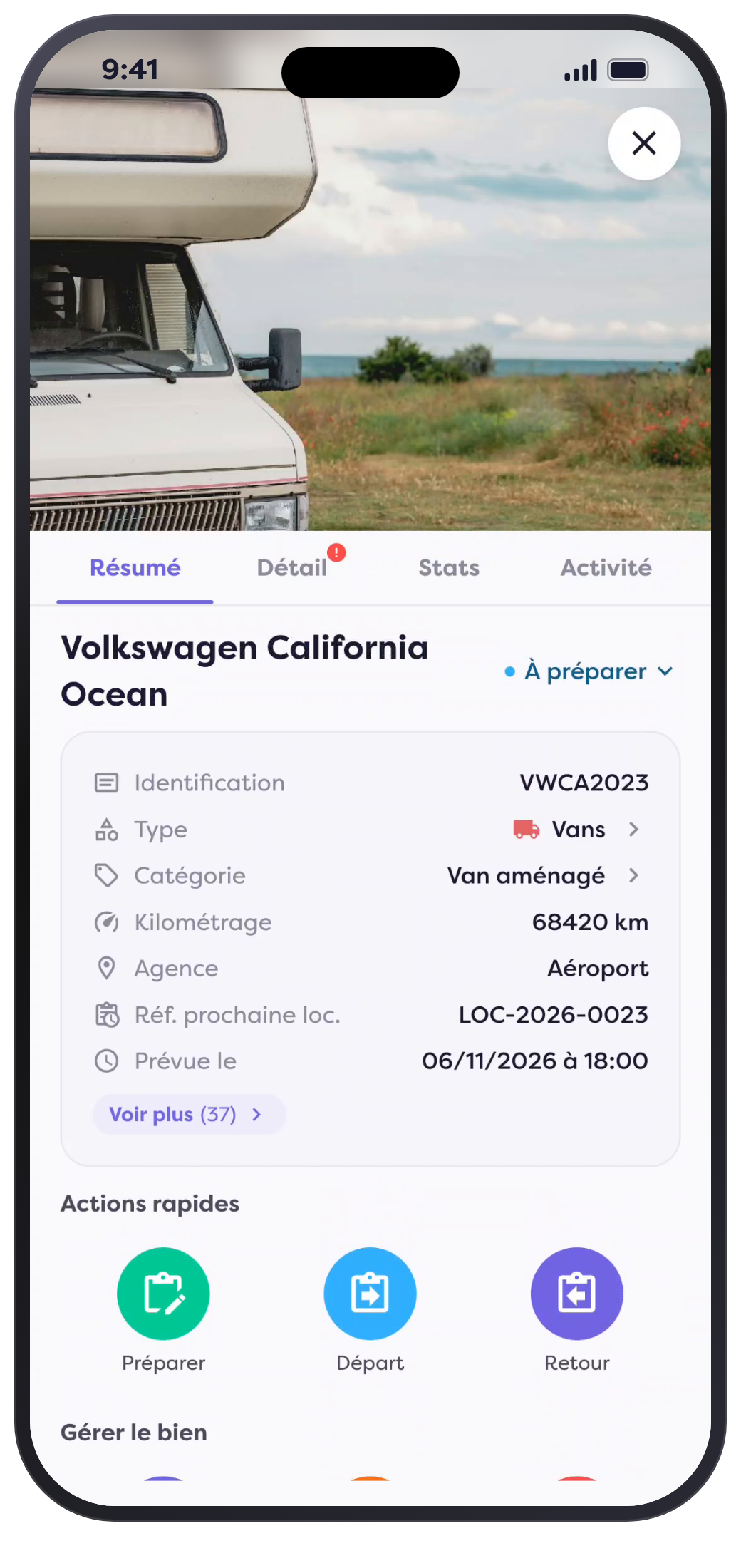
Property Profile, Items to Address, and Immediate Actions

Continuity between field operations and management.

Prepare

Make a list of the items you need to pack and gather any relevant information before you receive the keys.

Follow

View the status, details, and history of each property on your phone or tablet.

Take Action

Review the items to be addressed and create your tasks and reports from within the app.

Fleetee Check supports mobile operations; Fleetee Manager centralizes the management of your business.

See also: Maintenance Tracking in Manager ↗

Frequently asked questions

Where can I see the vehicles that need to be prepared?

The "Today" screen in Fleetee Check brings together items to be prepared, along with departures, returns, and occupied items. Items that are overdue or require action are displayed first.

Can you tailor the pre-trip inspections to your vehicles?

Yes. Your agency customizes the properties and sides of the property to be photographed in the Fleetee Manager settings. The team retrieves your configuration in the Fleetee Check workflow.

Can you create a service request from your phone?

Yes. Fleetee Check lets you create service requests and reports directly from the app. The property record allows you to view service requests along with other details in the file.

What information is included in the property file?

The record includes, among other things, property status, leases, move-in/move-out inspections, maintenance work, citations, and documents. It also provides access to the occupancy calendar and the history of changes.

Does this page apply only to cars?

Fleetee Check also tracks vans, RVs, utility vehicles, bicycles, and equipment. The checks are configured based on the types of vehicles in your fleet.

Does Fleetee Check replace Fleetee Manager?

Fleetee Check supports field operations. Fleetee Manager centralizes business management. Both tools are part of the same Fleetee environment.

Preparation and Follow-Up · Fleetee Check

Customized vehicles. Shared tracking.

Learn how to organize your preparations, view property files, and create service requests from the app.

Schedule a demo