
Fleetee Check

A status report on your vehicles.
Customized by you.

You choose which sides to photograph and which points to inspect. Your teams follow your route, document the damage, and have the customer sign off on their mobile device.

Your vehicles. Your inspection guidelines.

You're the one who sets up
to tour the property.

An inspection report for a heavy-duty vehicle does not necessarily follow the same route as one for a car or bicycle. In Fleetee Manager, your agency defines which areas to photograph for its initial and return inspection reports.

Want to check the roof of a heavy-duty truck? Add this view to the vehicle tour. The team will then retrieve the views you selected in Fleetee Check.

Example of a Customized Tower · Heavy-Duty

FrontSidesRearRoof

And the information to note as well.

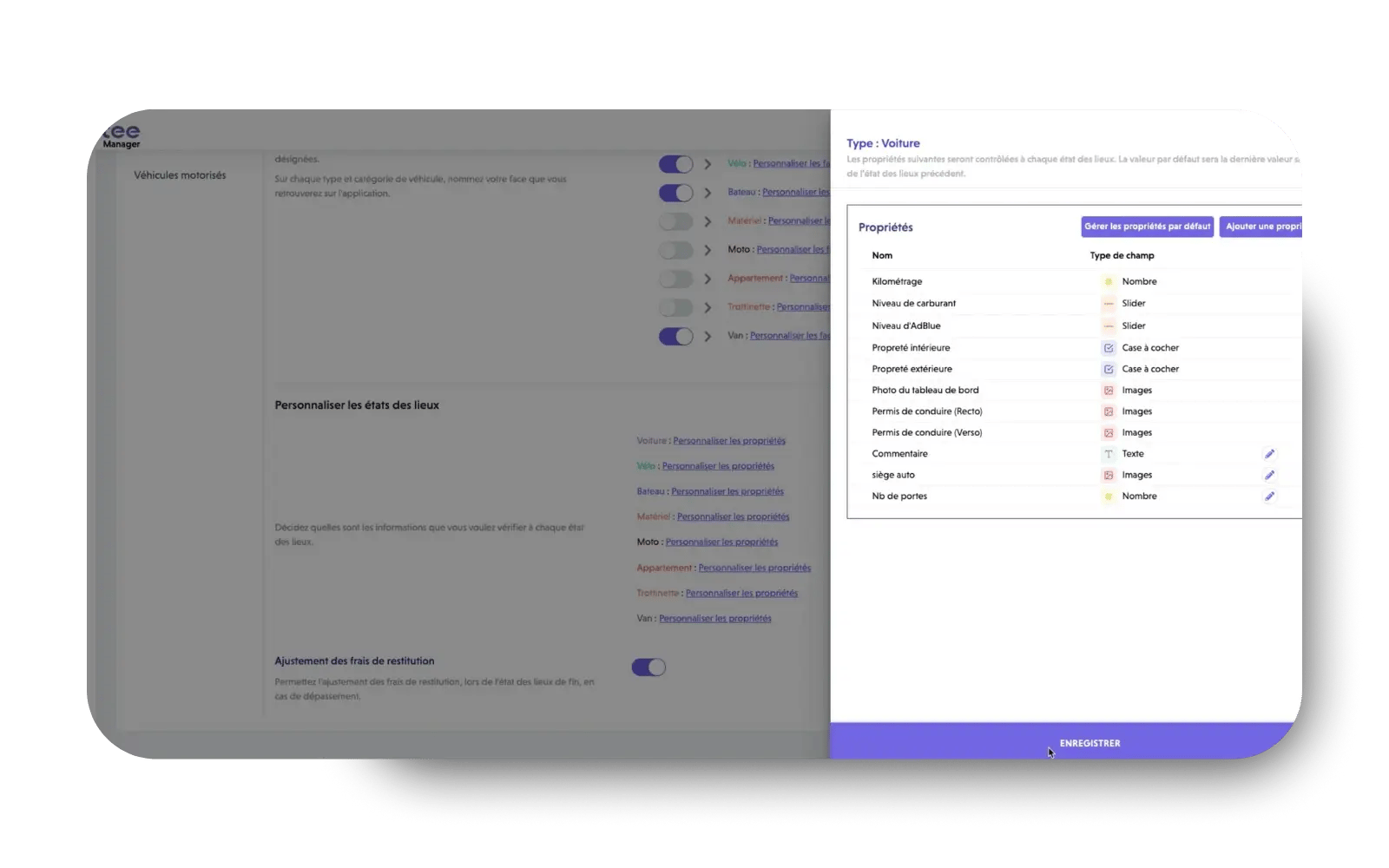
Customize the properties by property type: inspections, amenities, or inventory. Choose their format—for example, a checkbox to indicate that an amenity is present. These properties are included in the move-in inspection appendix of the lease agreement.

Configure the vehicle's surfaces
Customize Properties
Checkpoints in a Fleetee Check Vehicle Inspection Report

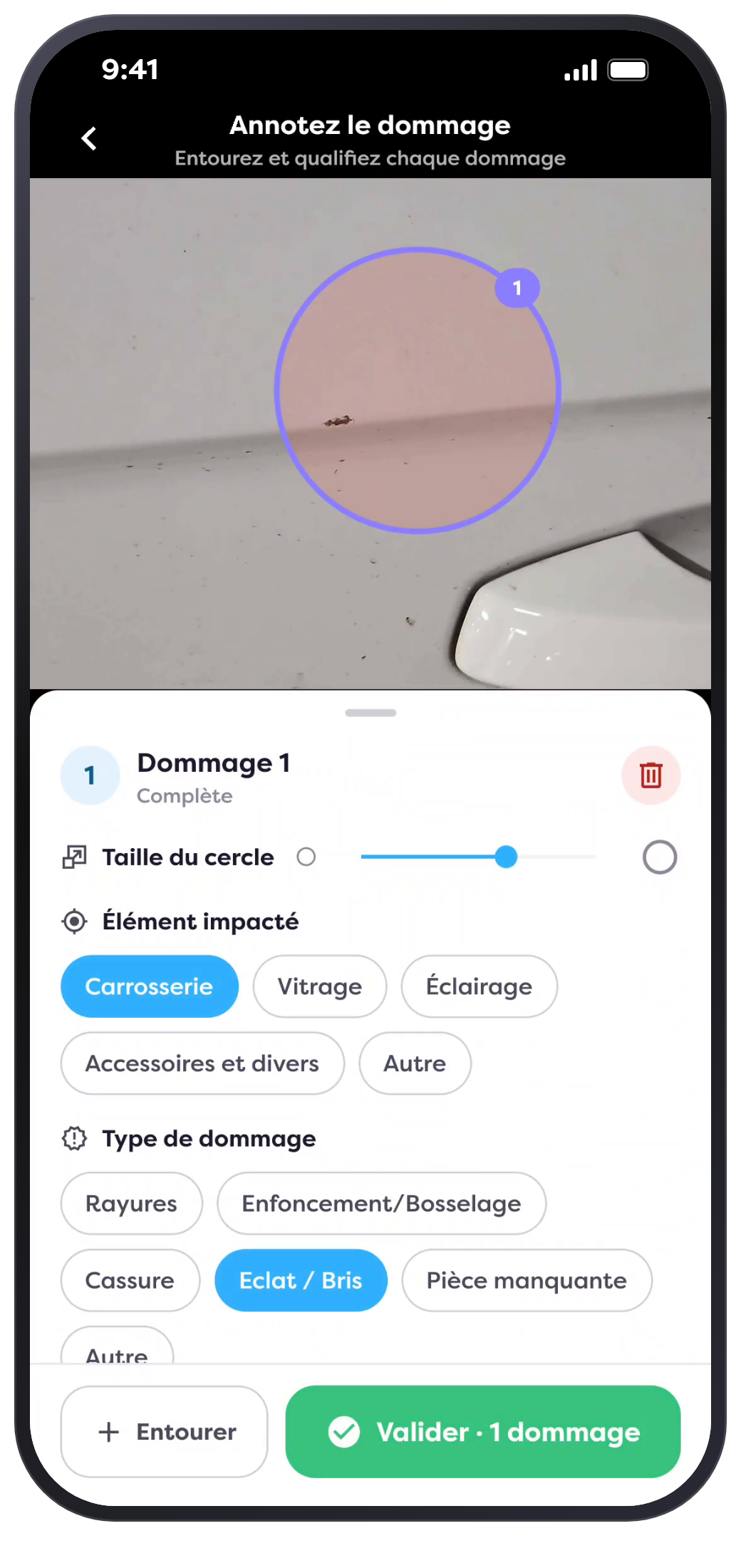
Visible observations

The photo shows the property.
The annotation shows the damage.

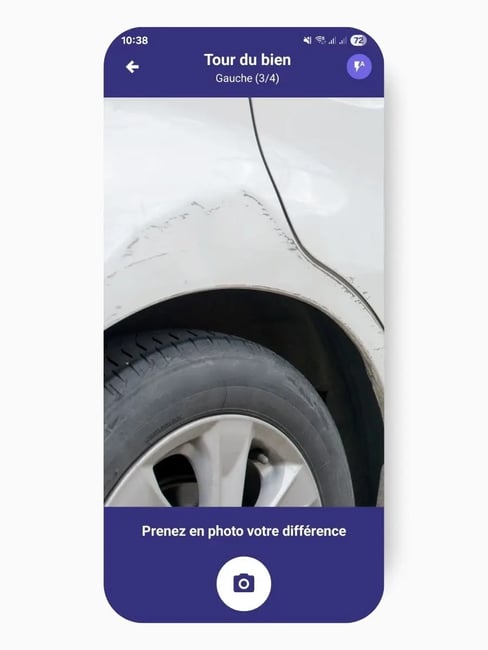
Follow the photo tour you set up, then mark the damage directly on the images.

  • Circle multiple areas of damage in the same photo
  • Please specify the item in question and the type of damage
  • View previously reported damage
  • On your way back, check the photo taken at the start as a reference

Your teams keep track of the property's file from one rental to the next.

Music Credits

Music by Bensound · Artist: Nick Petrov · License code: DWPHSZDKYXDVGIZV

One last check. Then the signature.

The customer reads it again.
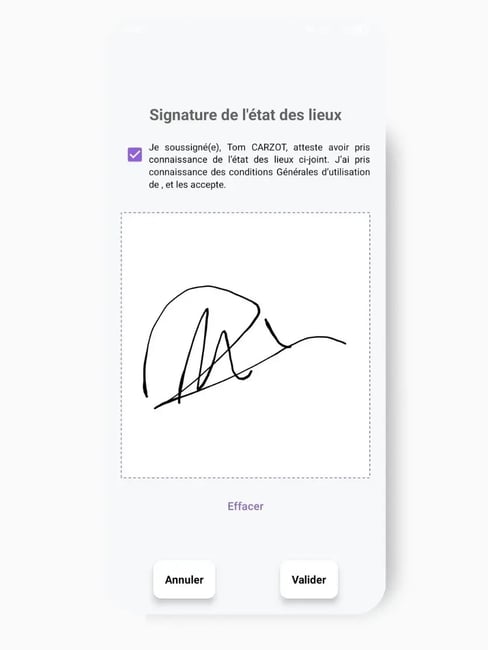
He signs on the screen.

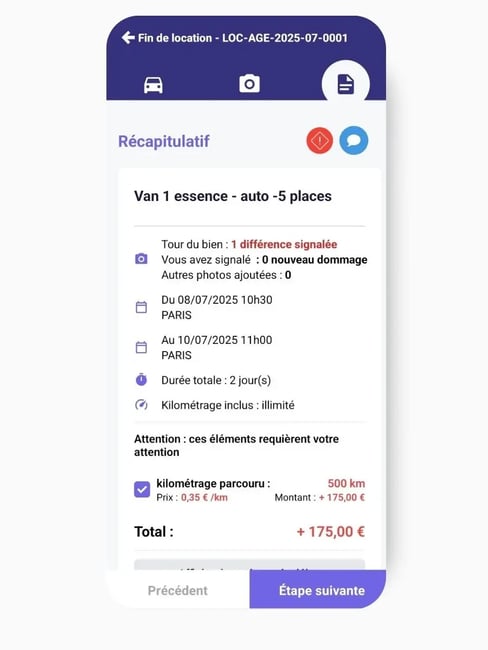
Review the summary and the documents to be signed by the customer. The signature is collected on your team's phone or tablet.

  • Lease Agreement and Move-In Inspection Based on Your Settings
  • Signatories and documents defined in your settings
  • PDF report and delivery based on your account settings

When offline, synchronization and uploads are paused until the network connection is restored.

Music Credits

Music by Bensound · Artist: Marcus P. · License code: PP1WBZXXKR6T3FRY

At the agency and in the parking lot.

Even without a network

Complete the inventory check offline. The data will be synchronized once you're back online.

Even without a reservation

Record the check-out and return of a loaned item, without an associated rental.

In the property file

View the property inspections, including rental agreements, service records, and documents.

Fleetee Check Features in Detail.

Frequently asked questions

Do you need an internet connection to conduct an inventory of fixtures?

No, the inventory can be completed offline. Synchronization and related submissions take place once you're back online.

Does the customer receive the property inspection report?

The documents to be sent are specified in the Fleetee Check settings. They are sent according to this configuration once the data has been synchronized.

Can a property inspection be conducted without a reservation?

Yes. You can record the addition and removal of an asset without an associated lease, such as for an internal loan.

Can we have the contract and the move-in inspection form signed?

The documents you need to sign depend on your account settings. You can plan to sign the move-in inspection report and, depending on your settings, the lease agreement.

Can you customize the controls and photos?

Yes. Your agency configures the surfaces to be photographed in Fleetee Manager. For example, it can include the roof of a heavy-duty truck in its vehicle inspection. It also customizes the property inspection settings by property type to record the information and equipment relevant to its business.

Fleetee Check follows you everywhere.

Create an account, then download the app to your phone or tablet.

Free for 1 vehicle, then starting at €24 (excluding tax) per month. Try the full Fleetee suite for 14 days—no credit card required.

View rates →


Start my free trial Book a demo
Agent conducting a pre-rental inspection of a rental car over the phone using Fleetee Check
Inventory Status Icon Tailored to Your Vehicles

Suitable for your vehicles

Tailor your vehicle inspection reports to the vehicles in your fleet

Vehicle photo icon

Proof in pictures

Take a photo of each side of the vehicle so you don't miss any scratches

Electronic Signature Icon

Electronic signature

The customer signs on the phone: no more paper forms to file

Icon for dated and geotagged photos

Dated photos

All photos are dated, geotagged, and stored

How do you conduct a pre-rental inspection of a rental car?

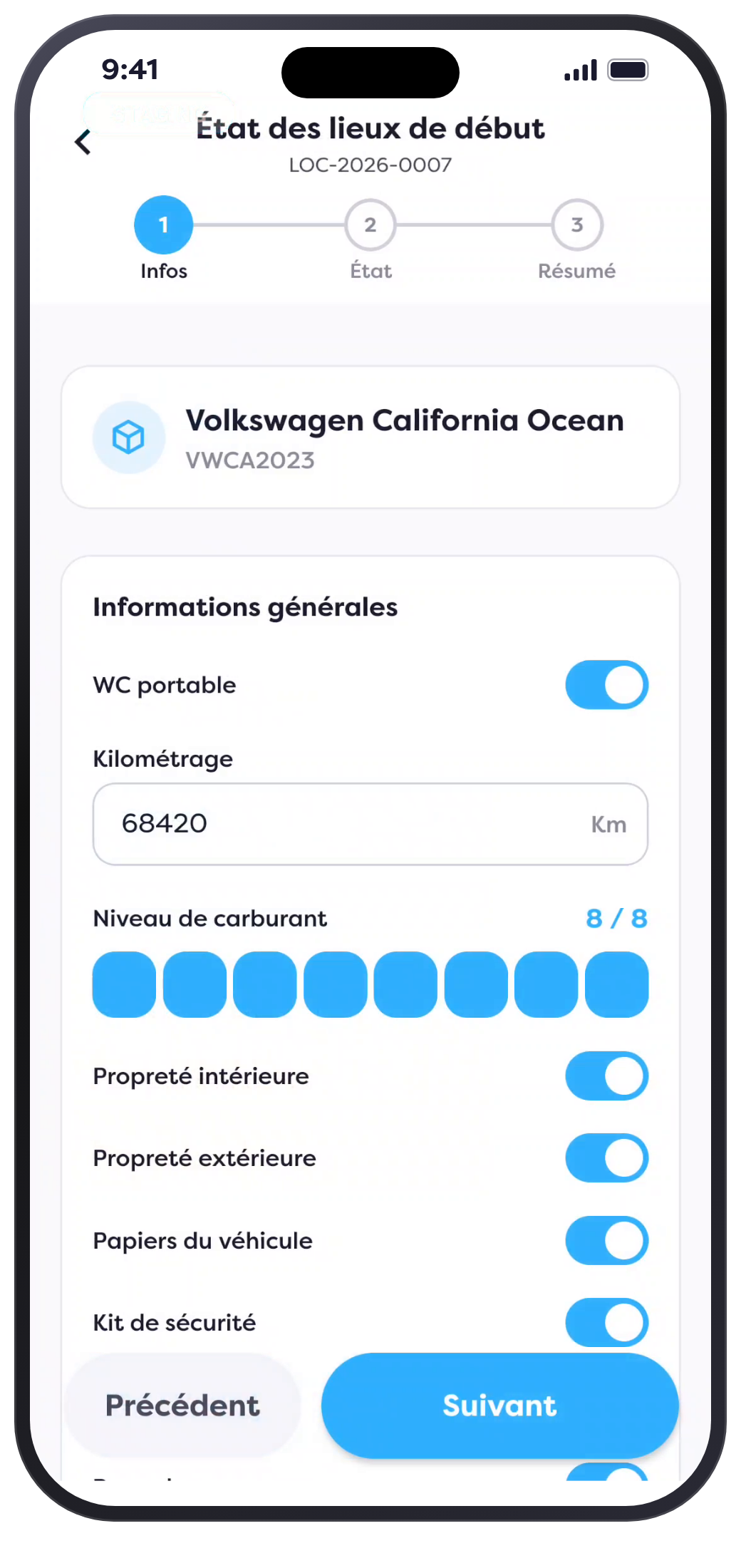
A comprehensive inspection report describes the vehicle at the start of the trip and upon return, covering the same items:

  • the date and time, the vehicle, and the customer;
  • mileage and fuel level;
  • photos of each side, the interior, and any existing damage;
  • a detailed note on each instance of damage;
  • the customer's signature.

Here is the 5-step process using Fleetee Check:
Intuitive interface
Property photos
Complete summary
Electronic signature
Customized goods
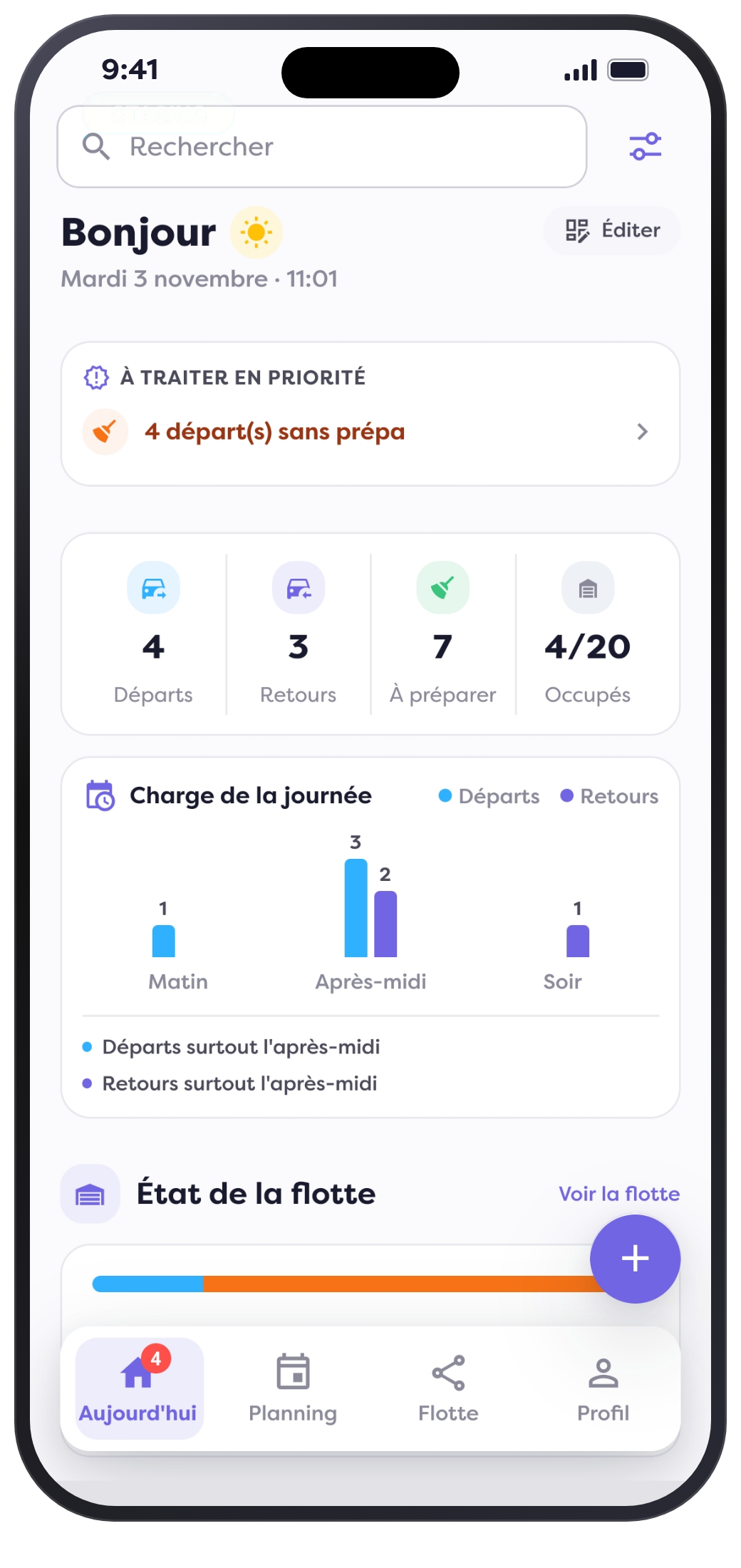
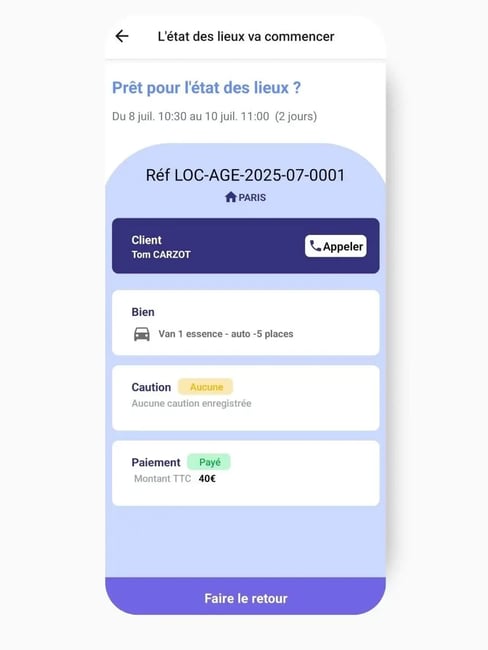
Schedule of Departures and Returns in the Fleetee Check App
Photo of one side of the vehicle taken during the inspection
Summary of the property inspection and comparison of the initial and final conditions
Customer's electronic signature on a phone
Inspection reports stored in Fleetee Check
More than 200 customers
Rental Companies That Trust Us
No installation
The app is available for download on iPhone and Android
Start my free trial
Digital Pre-Rental Inspection of a Rental Car via Smartphone

Whydoes a digital property inspectionprotect the landlord in the event of a dispute?

In the field

Conduct your vehicle inspections no matter where the vehicle is, using the Fleetee Check app on iPhone and Android.

Departure and Return Schedule

See today's departures and arrivals at a glance.

Evidence in the Event of a Dispute

Photos dated on each side and a note describing each instance of damage: this serves as proof of the vehicle's condition at the start and end of the rental.

Electronic signature

The customer signs on the phone: the form is complete before they leave with the vehicle.

Everything in one place

Photos, notes, and signatures are all in one place, with no need for manual re-entry.

An Informed Customer

The customer receives the move-in inspection report by email as soon as it is signed: this way, they know what was noted.

What Car Rental Companies Say About Fleetee


"The software is rich, there are a lot of features.What's more, it's really very intuitive."
Testimony of Jérôme
Jérôme
Manager of Zeroloc
"Fleetee saves us an enormous amount of time. It really simplifies our fleet management."
Testimony of Ophélie and Florian
Ophélie and Florian
Volcanic Auto managers
“What I love about Fleetee: I save 15 minutes per client thanks to this software. It’s great.”
Testimony of Mathias
Mathias
Manager of Matt&Co
"What I appreciated was the support right from the start, to set things up. Thank you."
Testimony of Ludovic
Ludovic
Manager of Location Forester
Ready to get started?

Try Fleetee Check for free

Free for 1 vehicle; starting at €24 (excluding tax) per month for 2 or more vehicles. 14-day free trial of the entire suite—no credit card required. Check out the Fleetee Check app or Fleetee’s pricing.

I'm starting my essay